Experience layer
Core Web Vitals
Core Web Vitals (CWV) are the three field metrics Google measures for real users: Largest Contentful Paint (LCP), Interaction to Next Paint (INP), and…
Core Web Vitals (CWV) are the three field metrics Google measures for real users: Largest Contentful Paint (LCP), Interaction to Next Paint (INP), and Cumulative Layout Shift (CLS). Page Experience was deprecated as a discrete ranking signal in Google's documentation in 2023, but these metrics are still measured, reported in Search Console, and used as a tiebreaker within Google's quality systems. In March 2024, INP replaced FID — so any measurement that still references FID is out of date. This guide orients you across the whole layer; each metric has its own deep-dive page.
The metric set you need to measure
As of 2026, the metrics engineers must instrument split into field and lab groups. Field metrics come from real users and feed Google's systems; lab metrics are for diagnosis and don't appear as ranking inputs.
| Group | Metrics | Purpose |
|---|---|---|
| Field (CrUX/RUM) | LCP, INP, CLS, TTFB, FCP | Real-user measurement, reported at p75 |
| Lab | TTFB, FCP, TBT, Speed Index | Diagnosis and attribution |
Field metrics are measured at the 75th percentile over a 28-day rolling window. Report mobile and desktop separately, and always decompose each metric into its sub-parts. See TTFB, FCP & TBT Lab Metrics for the diagnostic layer.
The three lab metrics that matter most: TTFB (Time to First Byte) is a major LCP contributor — if it exceeds 600ms, fixing it usually unlocks LCP. FCP (First Contentful Paint) can never be later than LCP, so FCP regressions almost always cause LCP regressions. TBT (Total Blocking Time) is a load-only proxy for INP; high TBT predicts high INP, but they don't correlate perfectly because INP is measured across the page's whole lifetime.
LCP — Largest Contentful Paint
LCP measures the render time of the largest image, video poster, or text block visible in the viewport relative to navigation start. The "good" threshold is ≤ 2.5s at p75; 2.5–4.0s needs improvement; over 4.0s is poor. LCP decomposes into four sub-parts — TTFB, resource load delay, resource load duration, and element render delay — and only the decomposition tells you where to work.
Images are the dominant LCP element type for the majority of pages, so start there:
- Add
fetchpriority="high"to the hero image — the single highest-ROI LCP fix, universally supported since Chrome 101. - Never apply
loading="lazy"to an above-the-fold image; useloading="eager"or omit it. - Serve AVIF with a WebP fallback via
<picture>. AVIF is 30–50% smaller than WebP for photographic content. - Serve responsive images with
srcsetand a correctsizesattribute — mismatchedsizesis a top-3 LCP regression cause. - Target ≤ 100KB compressed at the rendered mobile size, and use a real image CDN rather than a homegrown origin pipeline.
On the server side, move HTML generation to the edge (target p75 TTFB ≤ 200ms for cached HTML, ≤ 600ms for dynamic), enable HTTP/3, use stale-while-revalidate caching, and stream SSR so the head and above-the-fold HTML flush before the data layer resolves. For render-blocking, inline critical CSS (≤ 14KB compressed), give every script defer, async, or type="module", and eliminate @import chains.
For font-based LCP text, font-display: swap is the safe default; preload the WOFF2 with crossorigin, subset to used glyphs, and self-host. Full detail lives on LCP — Largest Contentful Paint.
INP — Interaction to Next Paint
INP measures the latency of all user interactions over the page's lifetime and reports the worst (or near-worst after the 50th interaction). Good is ≤ 200ms at p75; 200–500ms needs improvement; over 500ms is poor. It decomposes into input delay, processing time, and presentation delay.
INP is significantly harder to fix than FID was. FID only measured the first interaction, while INP captures scroll-handler jank, dropdown menus, modal opens — anywhere your app feels stuck. If your historical baseline predates March 2024, re-baseline: many sites that passed under FID now fail under INP.
The main causes are long main-thread tasks, hydration cost, third-party scripts, heavy synchronous event handlers, and forced synchronous layout. Core fixes:
- Yield to the main thread with
scheduler.yield()(Chrome 129+) inside long handlers; wrap non-urgent React state updates instartTransition. - Move heavy computation (filtering, sorting, parsing) to Web Workers, and debounce or throttle input and scroll handlers.
- Reduce or avoid hydration — islands architectures, resumability, React Server Components, and Svelte's runes all ship far less client JS than full-page hydration.
- Lazy-load third-party scripts to first interaction or idle.
To diagnose on real users, capture slow events with a PerformanceObserver and attribute them to specific scripts using the Long Animation Frames (LoAF) API (Chrome 123+), which gives you script URL and function name per long frame. Deep detail is on INP — Interaction to Next Paint.
CLS — Cumulative Layout Shift
CLS sums the largest session window of unexpected layout shifts (windows cap at 5s, with a 1s gap between shifts); shifts within 500ms of a user interaction are excluded. Good is ≤ 0.1; 0.1–0.25 needs improvement; over 0.25 is poor.
The common causes are images without dimensions, variable-height ad slots, web fonts swapping, dynamically injected content above existing content, unreserved embeds, and animations using top/left instead of transform. Fixes:
- Always set
widthandheighton<img>and<video>; for responsive images, use those attributes for the intrinsic ratio and CSS for the rendered size. - Reserve ad-slot heights with
min-heightmatching the most common size. - Eliminate font-swap shift with
font-display: optionalor metric overrides (size-adjust,ascent-override,descent-override) so fallback fonts visually match. - Anchor cookie banners at the bottom or reserve their space from first paint — never inject them above existing content.
- Use
transformandopacityfor animations, and wrap embeds in aspect-ratio containers or facade patterns.
More on CLS — Cumulative Layout Shift.
Infrastructure: hosting, caching, and assets
Origin-only architectures produce TTFB over 1s for distant users, so serve HTML and assets from the edge. For most teams, edge-rendering platforms with a built-in image CDN cover static and edge-rendered content; self-hosted stacks are only justifiable at very high scale. See Hosting & CDN for SEO.
Caching. Use s-maxage separately from max-age so you can cache aggressively at the edge while keeping browser caches short, and pair it with stale-while-revalidate to keep p75 TTFB low during misses. Content pages suit incremental/on-demand revalidation triggered by CMS webhooks, and tag-based revalidation lets you invalidate every page sharing a data dependency with one call. Hashed static assets get max-age=31536000, immutable. Full-rebuild deploys for a single content change are a freshness and TTFB anti-pattern.
Images. The format priority is AVIF first, WebP fallback, JPEG/PNG last, with SVG for vector and raster formats reserved for images ≥ 5KB. The sizes attribute is the most commonly misconfigured field — a sizes="100vw" on a 400px-wide rendered image forces mobile devices to download a much larger candidate, a multiplied LCP regression. Apply native loading="lazy" only below the fold, and never to the LCP image. JPEG XL is still not viable for production delivery, since Chrome removed the flag in 2022 and has not reinstated default support.
Fonts. Self-host WOFF2, subset to used glyphs, preload only the one or two above-the-fold weights with crossorigin, and apply metric overrides to eliminate swap-induced CLS. The old advice to use the Google Fonts <link> with &display=swap is now an anti-pattern — the extra origin costs a DNS lookup, TLS handshake, and connection that self-hosting removes. Build-time tools that download and self-host fonts automatically are the recommended path.
Framework notes and mobile-first scoring
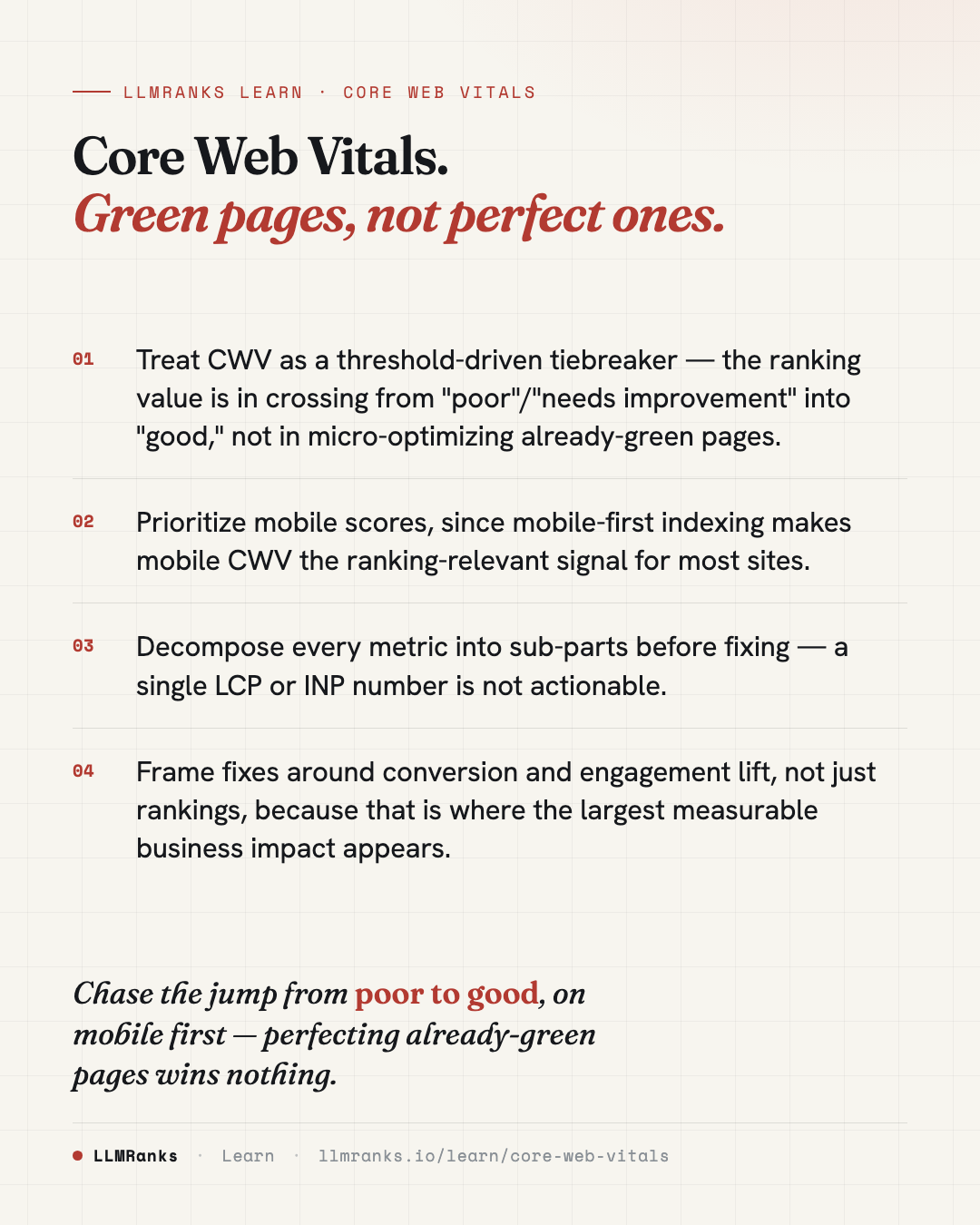
Mobile vs desktop. CrUX and Search Console report the two separately, and mobile-first indexing makes mobile CWV the ranking-relevant signal for the vast majority of sites. Lab throttling (Moto G4-class CPU, Slow 4G) is now slower than real mid-tier 2026 devices, but Google hasn't moved off it — don't fight the test, pass it. Desktop CWV are easier, and typical sites pass desktop while failing mobile, so treat mobile as primary.
Frameworks. The biggest INP lever is shipping less client JS. In Next.js App Router, use Server Components by default and mark only interactive leaves 'use client' — a high-level 'use client' boundary cascades client rendering down the whole subtree and is a top-3 Next.js INP regression. Astro ships zero JS by default and is best-in-class for content sites, with its main pitfall being overuse of client:load. Svelte 5 with runes hydrates 3–5x cheaper than React for equivalent UIs. WordPress is the highest-risk platform: hosting matters most (edge HTML caching fixes TTFB for most sites), a page-caching plugin eliminates PHP/MySQL on cache hits, and delaying JS execution until interaction is the biggest INP win for plugin-heavy sites.
For third-party scripts — the dominant INP and TBT cause on real sites — the preference order is remove it, self-host it, defer to idle or interaction, relocate to a Web Worker (test per-tag for flicker), or use facade patterns for embeds. See Third-Party Script Management.
What the ranking evidence actually says
Be precise here, because overselling CWV erodes trust. These points cover Do Core Web Vitals Affect Rankings? at a summary level.
- CWV is a real but weak, non-linear ranking signal. Google's public position, consistent with third-party correlation studies through 2024–2025, is that page experience acts as a tiebreaker among results of similar relevance. Content relevance, links, and topical authority dominate.
- The relationship is threshold-driven, not gradient-driven. Passing all three metrics gives whatever modest boost exists; moving from LCP 2.4s to 1.2s yields roughly no additional ranking benefit. The marginal value is in crossing from "poor"/"needs improvement" into "good."
- The largest measurable business impact is conversion and engagement, not rankings — documented case studies consistently show CWV improvements lifting conversion 5–20% and reducing bounce.
- On the AEO & GEO angle: CWV does not directly affect AI-overview citation selection, which prioritizes extractable, well-structured, authoritative content. But fast TTFB and crawlability do affect how reliably AI crawlers fetch and re-fetch your content — slow or timed-out origins get crawled less, which can indirectly suppress inclusion. Treat this as a directional inference, not a documented ranking factor.
What to do
- Instrument LCP, INP, and CLS from real users at p75, mobile and desktop separately, and add lab measurement for TTFB, FCP, TBT, and Speed Index.
- Decompose each failing metric into its sub-parts before touching code — identify the actual LCP element, the worst INP handlers by selector, and the specific shifting nodes for CLS.
- Rank fixes by failing field metric × estimated impact × share of traffic affected, and surface threshold-crossing fixes for "poor"/"needs improvement" pages first.
- Ship the high-confidence image and script wins:
fetchpriority="high"and preload on the hero,loading="lazy"stripped from above-the-fold images and applied below,width/heighton media, anddeferon non-critical scripts. - Move HTML and assets to the edge, apply
stale-while-revalidatecaching, and self-host and subset fonts with metric overrides. - Reduce client JS by keeping interactivity in leaf components and deferring or removing third-party scripts.
- Suppress micro-optimizations on already-green pages, and frame every recommendation around conversion lift as well as rankings.
save this card
 Download card
1080×1350 · post it anywhere