What Breaks AI Agents
AI agents break on the same web patterns that trip up keyboard and screen-reader users: elements they can't see, can't reach, or can't operate. When a…
5 min read · updated 2026-08-18
AI agents break on the same web patterns that trip up keyboard and screen-reader users: elements they can't see, can't reach, or can't operate. When a button has no accessible label, a menu only appears on hover, or a form field rejects keyboard input, an agent working through your site loses its place and abandons the task. Making your site agent-compatible is largely a matter of removing these blockers, most of which overlap with basic accessibility.
Elements agents can't see
Agents build their understanding of a page from its accessible structure, not just its pixels. When that structure is missing or misleading, the agent acts on an incomplete picture.
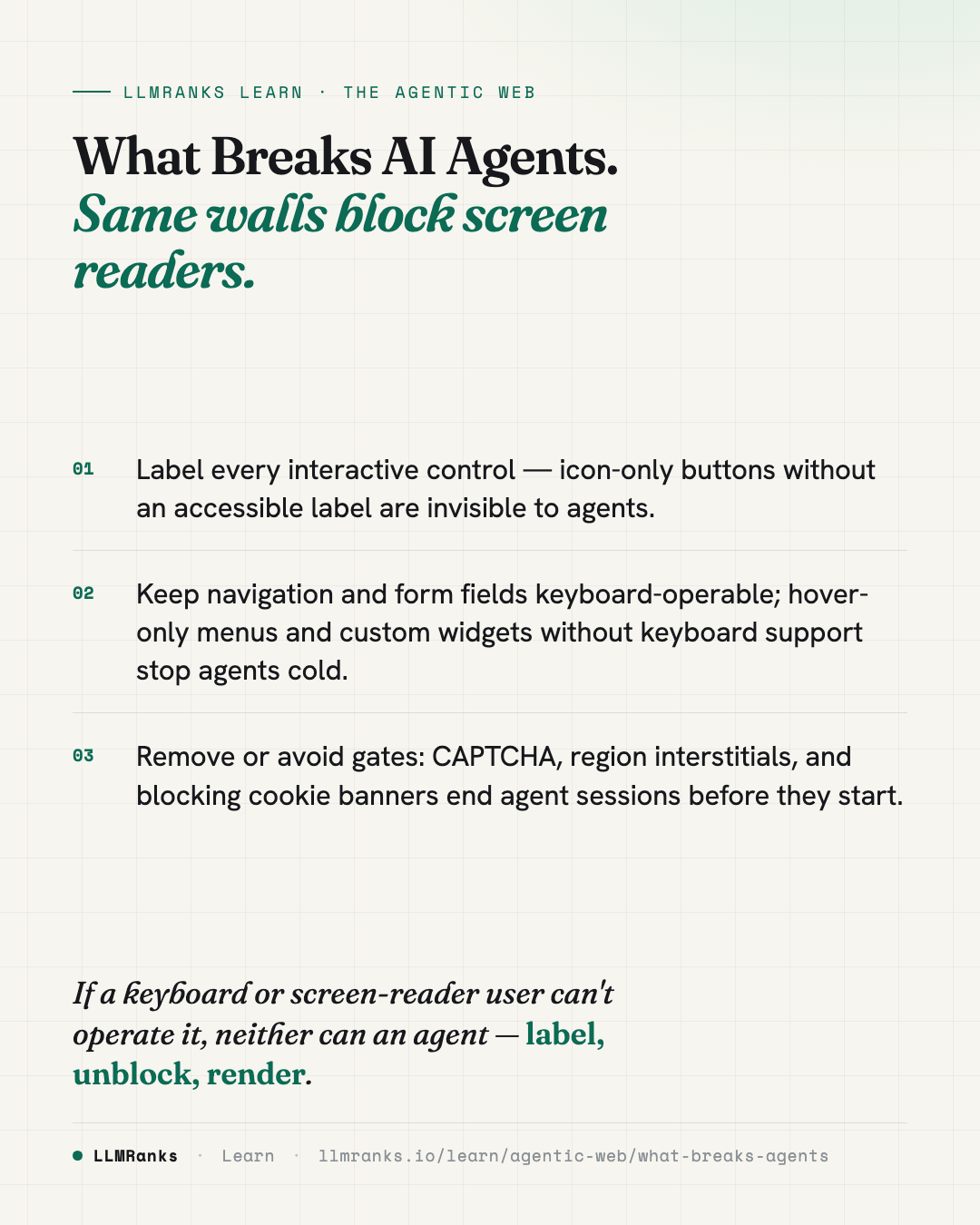
- Icon-only buttons without a label are effectively invisible. If a button shows only an icon and carries no accessible label, an agent has nothing to identify it by.
- Lazy-loaded critical content below the fold — like CTAs and pricing — without prefetch gets missed entirely. If the agent doesn't trigger the load, it never sees the content.
- Server-side rendering that omits accessibility attributes added later by client-side hydration causes a timing problem. An agent that captures the page before hydration completes reads a page that's missing those attributes.
The common thread: if it isn't present in the structure the agent inspects at the moment it inspects it, the agent behaves as though it doesn't exist. For more on how this perception works, see How AI Agents See Your Site.
Elements agents can't reach
Even when content exists, an agent has to be able to navigate to it. Many interfaces assume a mouse and a human eye, which leaves an agent with no path forward.
- Hover-only navigation submenus can't be revealed by an agent that isn't hovering the way a person does. The links inside stay hidden.
- Hidden but tab-focusable elements — those set to
display: nonewhile still in the tab order — send the agent's focus into nothing, breaking its progress through the page. - JavaScript-only links, such as an
<a>with anonclickhandler and anhref="#", defeat an agent's URL inspection. There's no real destination to follow.
These patterns don't just hurt agents — they're the same issues that break keyboard navigation for people. Fixing them is squarely part of Technical SEO hygiene.
Elements agents can't operate
Forms and multi-step flows are where agents most often get stuck mid-task. If a field or a wizard can't be driven predictably, the agent can't complete what it came to do.
- Custom datepickers and dropdowns without keyboard support leave an agent unable to fill the field. A widget that only responds to specific mouse behavior is a dead end.
- Multi-step wizards with no progress indicator and no way to skip cause abandonment. The agent has no sense of where it is or how to move on.
- Inline error messages that aren't programmatically associated with their field (for example, missing
aria-describedby) leave the agent unable to tell why a submission failed. It knows something broke but not what to fix.
Crawler reads
- HTML markup
- Plain text
- Outbound links
Agent drives
- Clicks & navigates
- Fills out forms
- Compares & checks policies
Gates that stop agents before they start
Some patterns aren't about individual controls — they wall off the entire experience. These tend to be the hardest failures because there's no partial success.
| Blocker | Why it breaks the agent |
|---|---|
| Cloudflare / reCAPTCHA on landing pages | The site is gated before any task can begin. |
| CAPTCHA before checkout that doesn't render in the agent's browser context | The agent abandons the purchase. |
| Cookie banners that block interaction and aren't reachable by keyboard | The agent gets stuck trying to dismiss them. |
| Region/locale interstitials gating the whole site behind a country selector | The agent can't make the selection to proceed. |
| Auto-playing video or audio | Unexpected state changes disrupt the agent's reasoning loop. |
A gate that a human clears in a second can be a total block for an agent. If your analytics show agent visits ending abruptly at these points, these are the first places to look — see Detecting AI Agent Traffic.
Why these patterns rank the way they do
The failures above are listed roughly by how often they've been observed to break agents across 2025–2026, with missing labels and landing-page gates at the top. Frequency here reflects observed behavior, not a fixed law — your own site's mix of patterns and the agents visiting it will shift which problems matter most for you. Treat the ordering as a starting priority, not a guarantee.
What's worth noting is how much of this overlaps with accessibility. Labels, keyboard support, focus management, and associated error messages are longstanding accessibility requirements. Building for agents rarely means building something new; it usually means finishing the accessibility work you already had. For a broader view of what "ready" means, see Agent-Readiness, and for a reality check on common assumptions, Agentic-Readiness Myths.
What to do
- Audit every icon-only control and add an accessible label so agents can identify it.
- Replace hover-only menus with navigation that can be reached and opened via keyboard.
- Fix focus traps — remove
display: noneelements from the tab order, and make sure focus never lands on nothing. - Make custom form widgets keyboard-operable, especially datepickers and dropdowns, and associate error messages with their fields.
- Add progress indicators and a skip path to multi-step wizards so an agent isn't left guessing.
- Render critical content server-side — CTAs and pricing shouldn't depend on the agent triggering a lazy load, and accessibility attributes shouldn't wait on client-side hydration.
- Remove or reduce gates: reconsider CAPTCHA on landing pages and before checkout, make cookie banners keyboard-dismissible, and avoid full-site region interstitials.
- Turn off auto-playing media that changes page state unexpectedly.
- Fix JavaScript-only links so every navigable link has a real
href.
These changes compound. Because most of them are also accessibility fixes, the work pays off for human visitors and for agents at the same time — which is the whole point of building for The Agentic Web.
save this card
 Download card
1080×1350 · post it anywhere
put it to work
See how ChatGPT, Gemini and Google AI actually talk about your brand.