Agent-Readiness
An agent-ready website is one that AI agents can perceive, navigate, and act on without getting stuck. In practice that means a clean accessibility tree,…
7 min read · updated 2026-08-17
An agent-ready website is one that AI agents can perceive, navigate, and act on without getting stuck. In practice that means a clean accessibility tree, semantic HTML, keyboard-operable controls, reachable modals, short conversion paths, and read paths that aren't gated by bot challenges. Agents read structure first and fall back to screenshots only when structure is ambiguous — so the more explicit your markup, the more reliably an agent completes its task.
Structure first, screenshots second
Every major agent reads the accessibility tree before it looks at pixels, and falls back to the screenshot only when the tree is ambiguous. That makes the accessibility tree the single highest-leverage signal for agent readiness.
A clean tree means:
- Every button has an accessible name — visible text, an
aria-label, oraria-labelledby. Icon-only buttons without a name are invisible to the agent. - Every form field has a
<label for>association oraria-label. The agent fills the "email" field because its accessible name resolves to "email," not because it's the third<input>in DOM order. - Landmark roles are present and correct: one
<main>, plus<nav>,<header>,<footer>. Agents use these to skip chrome and find the primary action area. - ARIA states are accurate:
aria-expanded,aria-pressed,aria-currenttell the agent whether a menu is open or a tab is active. - Roles match behavior. A
<div role="button">works only iftabindex="0"and keyboard handlers are wired. A styled<div>withonclickalone is invisible.
For a deeper look at how agents perceive a page, see How AI Agents See Your Site.
Use semantic HTML and keyboard operability
Favor real elements over ARIA retrofits. A <button type="submit">Subscribe</button> works in every agent and every assistive tech. A <div role="button"> with tabindex and handlers works but forces the agent to read ARIA. A styled <div> with only an onclick is broken — invisible to agents and screen readers alike.
Lean on elements with implicit semantics: <button>, <a href>, <input>, <select>, <textarea>, <label>, <form>, <nav>, <main>, <article>, <section>, <header>, <footer>, <aside>, <dialog>, <details>/<summary>, and <table> with <th>/<td>.
Agents simulate keyboard navigation more than mouse coordinates, because keyboard sequences are deterministic across viewport sizes and animations. So:
- Every interactive element must be reachable via Tab in a sensible order.
- Focus must stay visible — don't strip
:focus-visiblestyles. - A skip-to-content link near the top helps agents jump past nav.
- Manage focus on route changes and modal open/close: focus moves into the new context, then back to the trigger on close.
- Custom widgets (dropdowns, datepickers, comboboxes) must implement the WAI-ARIA Authoring Practices keyboard patterns (
ArrowDown,Enter,Escape).
This overlaps heavily with Technical SEO and clean markup practices from On-Page SEO.
Modals, challenges, and other places agents get stuck
Modals are the number-one place agents get stuck. Use the <dialog> element where supported (modern Chrome/Firefox/Safari 17+) — it handles the focus trap and Escape natively. If you build your own, implement it properly: role="dialog", aria-modal="true", aria-labelledby, a focus trap, Escape to close, and focus returned to the trigger. Never use a styled <div> overlay with no role: the agent either clicks through it or gets stuck. Cookie banners, newsletter pop-ups, and region selectors are the worst offenders — if dismissal isn't reachable via Tab or visible in the tree, the agent abandons.
The biggest agentic-friction signal in 2026 is hostile bot detection on the landing page:
- Cloudflare's Turnstile "Verify you're human" challenge blocks agents that can't pass JavaScript challenges.
- reCAPTCHA v3 and invisible reCAPTCHA penalize headless or atypical browser fingerprints — which is exactly what agents look like.
- DataDome, PerimeterX, Imperva, and Kasada are all known to block or slow agent traffic.
- Many agent platforms route through datacenter IPs (for example, Operator infrastructure and cloud sandboxes) that standard reputation feeds flag.
If you want to be agent-reachable, allowlist published agent infrastructure where you can — OpenAI publishes Operator IP ranges, Anthropic documents ClaudeBot ranges, and Google's agents come from documented Google ranges. Move challenges to checkout, login, or write paths, not read paths. An agent reading your pricing page or catalog should never see a challenge. For e-commerce, keep a read-only browsing experience with no JS challenge, and gate only the transactional flow. Agents can usually solve a challenge sitting directly in front of the goal, but they abandon when the challenge gates the entire site.
For more on failure modes, see What Breaks AI Agents, and for separating this traffic in your logs, Detecting AI Agent Traffic.
Crawler reads
- HTML markup
- Plain text
- Outbound links
Agent drives
- Clicks & navigates
- Fills out forms
- Compares & checks policies
Conversion paths and forms
Agents lose patience faster than humans. If "book a demo" or "start free trial" takes four or more clicks from the homepage, completion rates drop sharply.
- Pricing should be one click from the homepage, linked from the main nav.
- Contact or demo should be one to two clicks, with a simple form — not a 12-field qualification gauntlet.
- Signup should be one click and single-page where possible. Multi-step signup wizards score poorly because each step is a new state the agent must reason about.
- Avoid hover-to-reveal critical actions. Submenu items only visible on hover are invisible to agents, most of which don't simulate hover by default.
Forms are the single highest-friction surface. Agents complete simple forms reliably and fail most often on complex ones. Favored patterns:
| Do | Avoid |
|---|---|
| One field per concept | "First + last" in one field; phone with a format-specific country dropdown |
Explicit <label for="id"> | Placeholder-only labels (they vanish on focus) |
Native input types (email, tel, date) | Custom datepickers |
required or aria-required="true" | A visual * as the only required indicator |
Errors linked via aria-describedby | Errors that appear visually but aren't associated |
| Server-side validation | Client-only validation the agent can't diagnose |
Avoid CAPTCHA on non-transactional forms — a newsletter signup gated by reCAPTCHA blocks agents that would otherwise complete it.
Stability, loading, and async content
Agents take a screenshot, reason about it, then act. If the page is mid-animation when the screenshot lands, the action may target the wrong coordinate.
- Keep hero animations under two seconds to settle.
- Avoid layout shift, which matters for human users too — see Core Web Vitals.
- Keep modal animations under 300ms and honor
prefers-reduced-motion. - Avoid sticky headers that animate in and out on scroll; they can obscure the agent's scroll target.
Agents wait for network idle and DOM stability before acting. If your site streams content in over five or more seconds, the agent may act on a stale snapshot.
- Show loading skeletons that match final content geometry so layout doesn't shift when content lands.
- Avoid infinite scroll for primary content paths. Pagination with explicit URLs is agent-friendly; infinite scroll forces the agent to scroll, wait, and re-evaluate, which fails often.
- For SPAs, reflect route changes in
<title>and<h1>synchronously — the agent uses the page title to confirm it landed where it intended.
Before you over-invest, it's worth separating real requirements from folklore in Agentic-Readiness Myths, and placing this work in the broader picture at The Agentic Web.
What to do
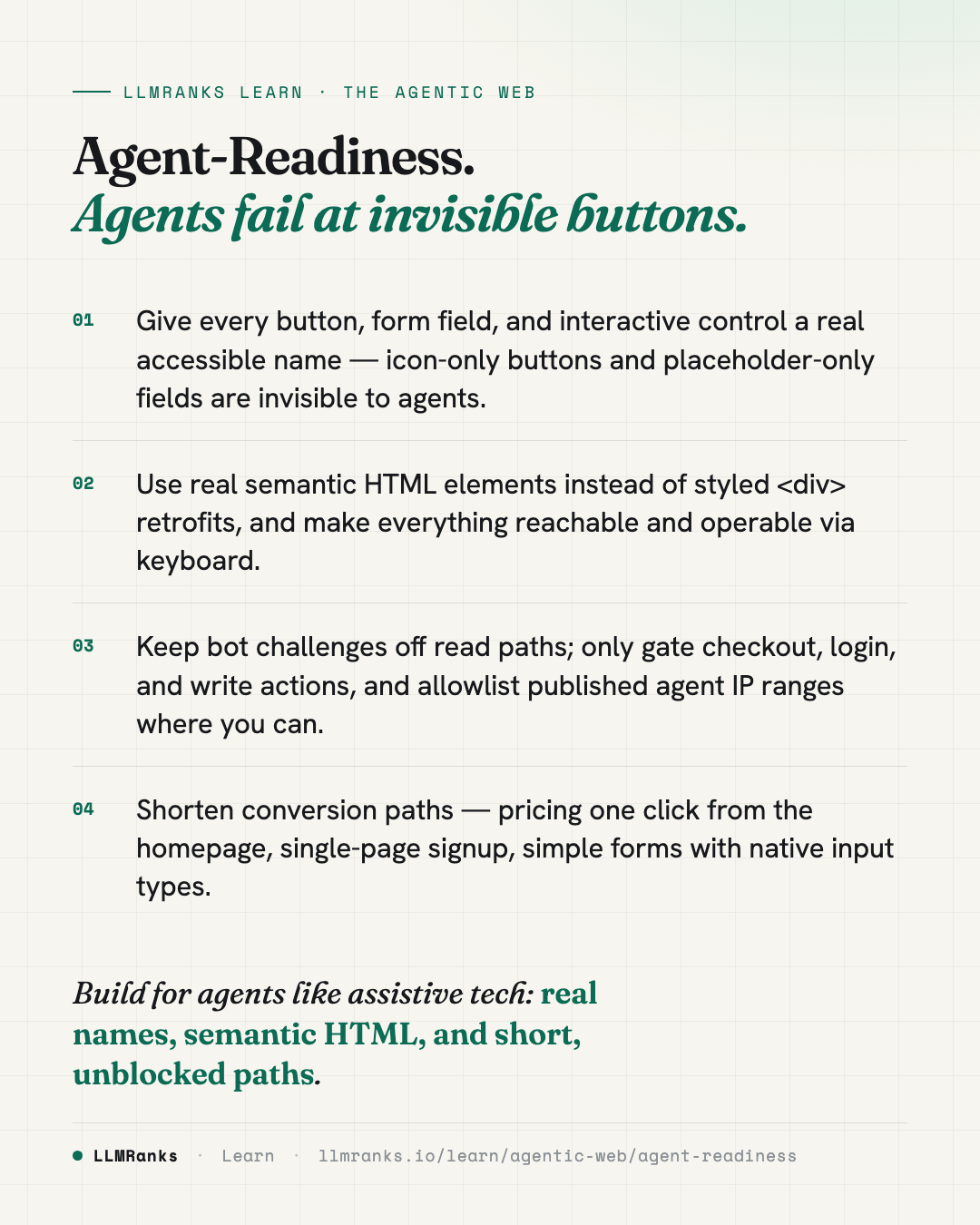
- Audit your accessibility tree: confirm every button and field resolves to a clear accessible name, and add
aria-labelto icon-only controls. - Replace styled-
<div>controls with real semantic elements, and verify Tab order, visible focus, and a skip-to-content link. - Fix modals: use
<dialog>or a proper ARIA dialog with focus trap,Escapeto close, and focus return — especially for cookie banners and pop-ups. - Move bot challenges off read paths, allowlist published agent IP ranges, and keep browsing challenge-free while gating only checkout, login, and write actions.
- Shorten conversion paths: pricing one click away, single-page signup, simple forms with native input types and explicit labels, and no CAPTCHA on non-transactional forms.
- Associate required fields and validation errors programmatically, and back client validation with server-side validation.
- Stabilize the page: cap animation durations, honor reduced-motion, eliminate layout shift, use pagination over infinite scroll, and sync
<title>/<h1>on route changes.
save this card
 Download card
1080×1350 · post it anywhere
put it to work
See how ChatGPT, Gemini and Google AI actually talk about your brand.