Meaning layer
On-Page SEO
On-page SEO is the practice of optimizing the elements you directly control on a page — titles, headings, images, content structure, internal links, and the…
On-page SEO is the practice of optimizing the elements you directly control on a page — titles, headings, images, content structure, internal links, and the user experience — so search engines and AI answer engines can understand, rank, and cite your content. In 2026 the fundamentals still hold, but the priorities have shifted: pixel-accurate titles, answer-first structure, and semantic completeness now matter more than raw length or keyword density. This guide orients you across the whole on-page layer and points to deeper pages for each topic.
How the on-page layer fits together
On-page SEO is one layer in a larger visibility stack that also includes Technical SEO, Off-Page Authority, and Structured Data & Schema. Within the on-page layer, the individual elements reinforce each other: your title and heading structure signal topic; your content structure and internal links distribute that signal; your images and Core Web Vitals shape the experience that keeps people from bouncing back to the results.
Each area below has its own dedicated guide. Here we cover the layer-wide principles and summarize where each element earns its keep.
Titles and meta descriptions
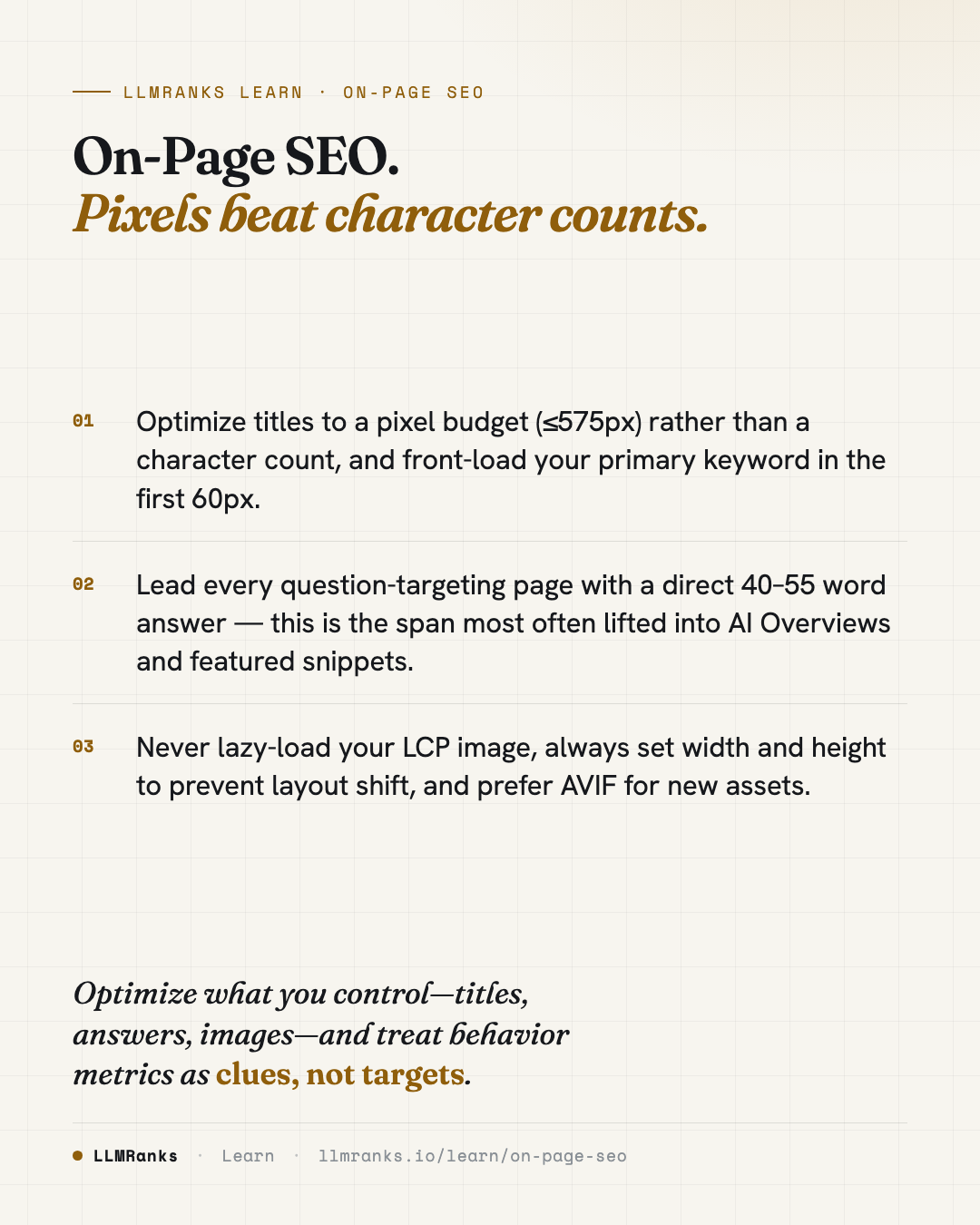
Your Title Tags are the highest-leverage on-page element for click-through. Plan them against a pixel budget — Google truncates at roughly 580px on desktop and 920px on mobile — so aim for 50–60 characters or ≤575px rendered, with a hard ceiling near 600px. Front-load your primary keyword in the first 60px (roughly the first three to five words); front-loading still wins on CTR versus mid-title placement. Use one primary keyword plus one secondary modifier, and put the brand at the end separated by an em dash.
Google's title rewriting rate stabilized around 40–45% in 2025, and well-constructed titles under the pixel budget are preserved at roughly 80%. So length and construction still matter — the older claim that "Google rewrites everything so titles don't matter" is wrong. Power modifiers that still move CTR include year tokens, numerals, and specificity like "Under $50" or "In 10 Minutes." Avoid all-caps words, emoji, and clickbait phrasing, which now correlate negatively with helpful-content scores.
Meta Descriptions play a smaller but real role. Google rewrites them 65–70% of the time on informational queries, but preservation on branded and navigational queries is around 80%, and when preserved, a strong description can move CTR by 15–25%. Target 140–160 characters, lead with the user benefit rather than the feature, and use an implicit CTA. On programmatic pages where templated descriptions create thin, duplicate signals, it's often better to omit the field and let Google extract from the page.
Headings and hierarchy
Your Heading Hierarchy is both a semantic map and an accessibility structure. One H1 per page remains the safe default, though multiple H1s are not penalized — Google has confirmed this repeatedly, and the stronger reason to keep one H1 is screen-reader clarity. Use H2s for major sections and H3s for subsections, and don't skip levels.
Keep your H1 and <title> related but not identical — roughly 60–80% keyword overlap, not 100%. The title is for SERP click-through; the H1 is for on-page experience. Source your H2 topics from search-suggest and "People Also Ask" data, and phrase headings as natural questions where it fits: question-format headings have been observed to get cited at roughly three times the rate in AI Overviews and ChatGPT search versus statement-form headings. Watch for common structural bugs — headings used purely for styling, skipped levels, empty headings, and duplicate H2s all pollute the document outline.
Content structure and AEO
The single most important principle across this layer is answer-first structure. On a question-targeting page, the direct answer should appear in the first 40–60 words after the H1, and a 40–55 word answer paragraph immediately following a question-form H2 is the canonical format for featured snippets and AI citations. See Content Structure for SEO & AI for the full treatment.
A few durable rules:
- Paragraphs: 2–4 sentences, 40–80 words. Optimize for the narrowest mobile viewport and break up any wall of text over 150 words.
- Sentence variance: mix short, medium, and occasional long sentences. Uniform sentence length reads as machine-written and correlates with low-quality scaled content — though Google has not confirmed any AI-detection ranking signal, so treat this as a style heuristic, not a hard rule.
- Bullets: use them for parallel, scannable items, keep 3–8 per list, and keep bullet structure grammatically parallel. Don't over-bullet — prose should stay dominant.
- Tables: use semantic
<table>markup for comparisons, specs, and pricing. A well-structured comparison table is one of the highest-leverage assets for AI answer engines. Keep tables to five columns or fewer, and precede them with a sentence naming the comparison.
The "long content ranks better" heuristic is dead. Semantic completeness — covering the topic's full entity set — matters far more than raw word count. A 900-word page that covers all relevant entities beats a padded 3,000-word page. This connects directly to Content Strategy & E-E-A-T and how AEO & GEO shape what gets cited across AI Search Engines.
Images
Image SEO delivers some of the highest-ROI, lowest-risk fixes on the whole layer. Write alt text of 8–15 words that describes the image's function in context, not the literal pixels, and skip "Image of" prefixes. Use empty alt="" for decorative images rather than omitting the attribute. Name files descriptively with lowercase hyphens — never underscores, which Google treats as word-joiners.
For formats, AVIF is now the default recommendation for new assets: it's 20–30% smaller than WebP at equivalent quality with universal browser support, making the old "WebP is safer" hedge obsolete. Serve responsive images with srcset and sizes for anything wider than about 400px, and use SVG for logos and icons.
Two image rules directly protect your Core Web Vitals:
- Always set
widthandheight(or CSSaspect-ratio) to prevent Cumulative Layout Shift. The "good" CLS threshold is ≤0.1. - Never lazy-load your LCP image. Images are the LCP element on roughly 70% of pages, and lazy-loading the hero is the single most common LCP regression. Give the hero
fetchpriority="high"and lazy-load only below-the-fold images. The "good" LCP threshold is ≤2.5s.
For discovery and attribution, prefer ImageObject schema — including license, creator, and creditText properties — over standalone XML image sitemaps, which are now deprecated in priority.
Internal anchors and user signals
The way you link within your site shapes how signal flows. In Internal Linking the anchor text you choose matters, and 2026 tightened the tolerance for over-optimization. If more than 30% of internal anchors pointing to a single URL are exact-match, you're in penalty territory — several sites lost rankings after over-optimizing anchors to category pages in late 2024. Because you control internal anchors, outlier distributions are easy for spam systems to detect.
Practical anchor rules:
- Favor contextual body links over navigation and footer links — a keyword-rich nav link counts for less than the same anchor in body content.
- Only the first link to a URL on a page counts for anchor text, so audit whether your nav is "spending" the anchor before your body content can.
- Don't link the same anchor to different URLs on one page, and don't link one URL with wildly conflicting anchors.
On the user-signals side, the 2023 antitrust testimony and the March 2024 Content Warehouse documentation confirmed that Google uses click and engagement data through systems like NavBoost. Importantly, this is SERP click behavior — long clicks versus pogo-sticking back to the results — not GA4 bounce rate. Your measurable proxies are engagement time, scroll depth, and click depth. Keep priority pages within three clicks of the homepage; pages at depth four or deeper get crawled less and receive less internal link equity.
The critical caveat: behavioral metrics are consequences of relevance and quality, not causes you can game. Artificially inflating dwell time with autoplay walls or forced delays degrades real UX, and manipulation is detectable. Treat these signals as diagnostics pointing to content problems — fix relevance and structure, and the metrics improve downstream.
What to do
- Audit every indexable title against a pixel budget (≤575px), front-load the primary keyword, and add a unique title to any page sharing one.
- Add or rewrite meta descriptions for branded and navigational pages; omit templated descriptions on thin programmatic pages.
- Fix heading structure: one clear H1, no skipped levels, no empty or styling-only headings, and convert key H2s to question form where it fits.
- Rewrite question-targeting pages to lead with a 40–55 word direct answer immediately after the relevant heading.
- Replace padded long content with entity coverage — compare your page against what ranking competitors actually cover.
- Set
widthandheighton every image, give the LCP imagefetchpriority="high", lazy-load only below-fold images, and migrate assets to AVIF. - Map internal anchor distribution per target URL and reduce any exact-match share above 30%.
- Instrument scroll depth and engagement time, then use them to diagnose — not to game — pages with weak above-fold performance or intent mismatch.
For the broader picture of how these fundamentals evolve, see SEO in 2026 and The Agentic Web, or return to LLMRanks Learn for the full library.
save this card
 Download card
1080×1350 · post it anywhere